Pokémon GO Search Strings Master Guide: Fast Storage Cleanup, PvP IVs & Trash Filters
Master Boolean operators (&, ,, !), build a safe Trash String for Community Day mass transfers, and isolate PvP IV spreads in seconds.

1. How Boolean Logic Works Inside Pokémon Storage
The in-game Pokémon storage search bar runs a full Boolean expression parser that filters thousands of catches instantaneously without third-party overlays. Three core operators control every query: `&` (or `|`) means AND (both conditions must match), `,` (or `;` / `:`) means OR (either condition matches), and `!` placed directly before a keyword means NOT. Operator precedence is critical: Pokémon GO evaluates comma-separated OR groups first, then intersects them with `&`. Consequently, `0*,1*,2*&!shiny&!shadow` safely selects 0–2 star catches while guaranteeing that Shiny and Shadow Pokémon are excluded from the result.
Pro Tips for Max Efficiency:
- You can save up to 12 favorite search strings directly inside Pokémon GO: tap Search, tap See More, long-press a recent query to pin it to Favorites, then long-press again to rename it.
- Combine numeric Pokédex ranges like `1-151` or evolutionary family prefixes (`+eevee`) to isolate an entire evolution line in one tap.
2. Building a Bulletproof Trash String for Community Day & Spotlight Hour
 Beldum
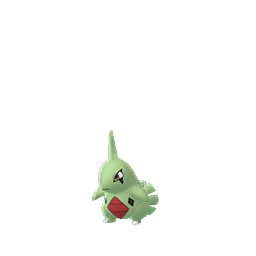 Larvitar
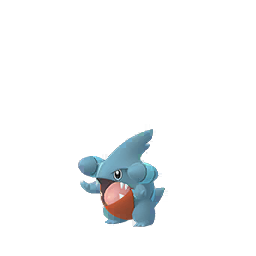 Gible
 Dratini
Active trainers easily catch 300 to 600 Pokémon during a three-hour Community Day or a single Spotlight Hour. Appraising every single catch manually wastes half the event window. A bulletproof Trash String automates cleanup while safeguarding every high-value category (4* Hundos, 3*, Shiny, Shadow, Legendary, Mythical, Ultra Beasts, Costumes, XXL/XXS Showcase contenders, Lucky, Special Backgrounds, tagged Pokémon, and potential PvP spreads): `age0&!4*&!3*&!shiny&!shadow&!legendary&!mythical&!ultra beasts&!costume&!xxl&!xxs&!lucky&!background&!#&2-4attack`. The trailing `2-4attack` clause preserves 0–1 Attack bars so top Great and Ultra League IV spreads stay untouched for post-event review.
3. Dedicated Queries for PvP IV Hunting & 100km Distance Trading
Once bulk catches are cleared, run targeted queries to surface hidden gems. For Great and Ultra League stat-product leaders, enter `0-1attack&3-4defense&3-4hp&!4*`, instantly isolating low-Attack, high-bulk spreads (typically Rank 1–100). Before a mass trading session for guaranteed Candy XL (100+ km catch distance), run `distance100-&!favorite&!legendary&!shiny&!traded` to surface only eligible, untraded Pokémon caught over 100 km from your current location—including Pokémon hatched from 7 km Friendship Eggs received from international gifts.
Pro Tips for Max Efficiency:
- The `!#` operator excludes any Pokémon carrying at least one custom Tag—making custom tags your ultimate safety net against accidental transfers.
- Tag surplus legendaries and rare spawns with `#2xTransfer` during the month, then mass-transfer them during a 2× Transfer Candy Spotlight Hour.
4. Hidden Keywords for Mega Levels, Movesets (@) & Free Trade Evolutions
 Mega Rayquaza
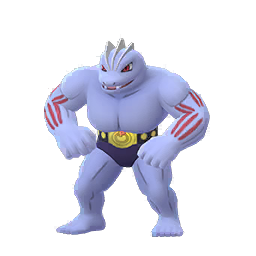 Machoke
 Haunter
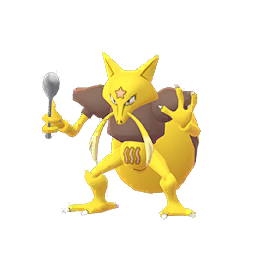 Kadabra
Even veteran trainers frequently overlook the `@` move operator and Mega progression keywords. Typing `@1fire` finds Pokémon with a Fire-type Fast Move, `@2dragon,@3dragon` locates Dragon Charged Moves, and `@special` surfaces every Legacy, Elite TM, and Community Day move (as well as Frustration and Return). To level up your Mega Pokédex daily for free, pin `mega1-2&!mega3`—showing only Megas that have not yet reached Max Level 3. Finally, `tradeevolve&traded` highlights 0-Candy trade evolutions for free XP bursts during 2× Evolution XP Spotlight Hours.